Digital Storybook Studio
Create illustrated storybooks, page by page
Digital Storybook Studio
Create illustrated storybooks, page by page
Showcase
Description
Turn an idea—or your existing story—into a coherent illustrated digital book and finished PDF. Digital Storybook Studio guides you through every important creative decision one step at a time: book format, reader age, story subject, tone, visual style, length, and optional book details. Create picture books, comics, cartoon narratives, or newspaper-style storybooks without beginning from a blank page. Before artwork begins, it builds an approval-ready book blueprint with a page-by-page story plan, visual system, character bible, and continuity notes. For recurring characters, it creates a dedicated reference sheet to lock their appearance, clothing, colors, props, and proportions across the entire book. For comic and cartoon narratives, each page is generated as a complete final composition: approved dialogue, compact speech balloons, clear speaker tails, and style-appropriate lettering are embedded directly into the artwork. The Studio maps every line to its speaker and planned position before generation, then checks spelling, readability, balloon ownership, line breaks, and visual consistency during review. You review illustrations in small batches before final assembly. The Studio flags character drift, wardrobe inconsistencies, story-flow gaps, dialogue or balloon errors, layout issues, and any unreadable or misplaced text. If a page has a dialogue problem, that complete page is regenerated rather than patched afterward. The result is not just a collection of images—it is a polished, readable storybook with consistent art direction, purposeful pacing, fully integrated comic dialogue where needed, and a final PDF assembled only after your explicit approval.
Recommended by
Dancang
Why we love this skill
Featured for turning an idea or existing story into a polished, illustrated e-book with disciplined creative checkpoints. Its standout strength is production rigor: locked character continuity, story-flow validation, embedded comic dialogue, page-by-page visual review, and approval-gated PDF assembly.
Related Skills
View all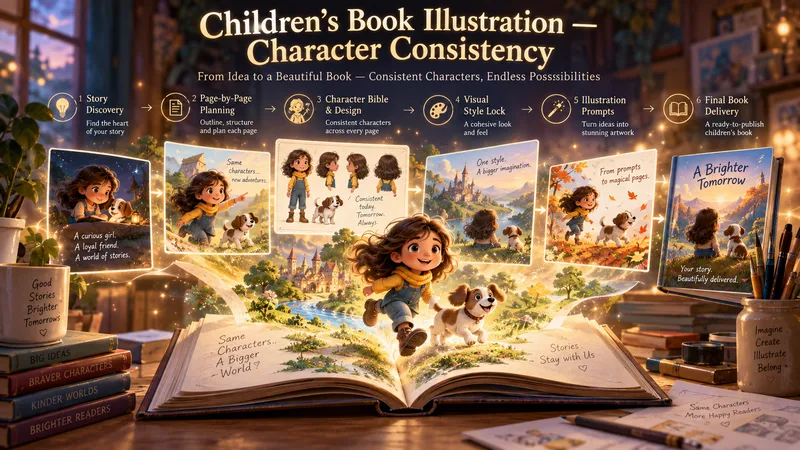 Image
ImageChildren’s Book Illustration
Turn a simple idea into a complete, beautifully illustrated children's book with consistent characters from the first page to the last. This Skill guides you through the entire creation process: story discovery, story writing, page-by-page planning, character design, visual direction, illustration prompting, continuity control, image generation, and final book assembly. Don't have a story idea yet? Start with 10 original children's book concepts and choose the one that inspires you. Then define the target age, story length, tone, visual style, format, and creative direction. Before illustration begins, the Skill builds a complete page-by-page Story Blueprint, Character Bible, Visual Style Lock, and Continuity Ledger. These systems help preserve character identity, outfits, props, locations, proportions, and visual style across every scene. For each page, you receive production-ready illustration prompts designed to maintain character consistency, narrative continuity, and a cohesive visual world. Create: - Character reference sheets - Consistent page-by-page illustrations - A dedicated book cover - An optional final message or end-note page - Reusable Character and Visual Style Locks - A complete production handoff package Want to continue in another AI tool? Generate a structured handoff containing the full story, Character Bible, continuity rules, visual direction, and every illustration prompt needed to continue the project without losing creative consistency. Or complete the entire book directly in the workflow: generate the illustrations, review and repair inconsistent pages, and assemble the finished children's book as a PDF, presentation, or individual page images. From the first idea to the final page, everything is built around one goal: creating a children's book that feels like one story, one world, and the same characters throughout.
 Image
ImageCharacter Identity Studio
Give your character a clear identity—from the first look to every expression and angle. Character Identity Studio guides you through character creation with interactive selections. Explore ultra-realistic photography, realistic 3D, stylized 3D animation, 2D animation, anime, or illustration. Create a human, a fantasy character, or an animal mascot. DESIGN YOUR CHARACTER Choose appearance, facial features, hair, body type, clothing, and distinctive details. Describe exactly what you want or let the studio fill in the creative details. The guided workflow follows your language. APPROVE THE FIRST LOOK Start with one full-body character image. Refine specific features or request a new alternative. Reference production begins only after you approve the character. BUILD YOUR REFERENCE SET Receive three separate images, each arranged as a clean reference sheet: • 6 Facial Expressions: Neutral, gentle smile, laughter, sadness, anger, and surprise. • 6 Head Angles: Front, right profile, left profile, rear, and two 45° views—with neutral expressions wherever the face is visible. • 3 Full-Body Views: Front, side, and rear in a relaxed, neutral stance. Every sheet uses your approved image as its primary visual reference, helping preserve facial identity, hairstyle, outfit, proportions, and visual style. YOUR FINAL COLLECTION One approved character image + three reference sheets containing 15 panels. A practical visual foundation for AI character projects, animation planning, storytelling, and future image or video creation.
 Image
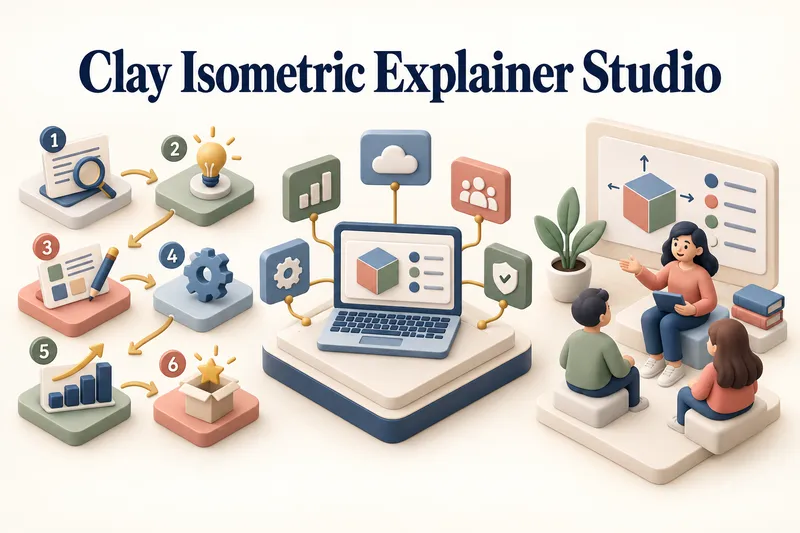
ImageClay Isometric Explainer Studio
Turn any topic into a clear, memorable visual explanation. Clay Isometric Explainer Studio transforms products, processes, services, systems, and educational subjects into polished hybrid 3D clay and isometric visuals. You can start with only a topic. The Studio performs a focused research snapshot, identifies the core message, recommends the clearest visual direction, and guides you through the creative process step by step. It builds the information architecture, maps each idea to a visual object, defines a consistent style system, and prepares a complete production prompt. Titles, numbered stages, information cards, labels, and short explanations are planned and included directly during image generation. Choose an Explainer Scene, Process Flow, Product Feature Board, Educational Visual, or a coherent 3–5-piece Visual Series. After the still image is approved, optionally turn it into a short image-to-video animation with subtle object motion, natural clay character gestures, or guided focus through numbered stages. Ideal for presentations, websites, social posts, posters, PDF pages, product communication, onboarding, and learning materials. Not intended for decorative 3D scenes without an explanatory purpose, random visual elements, dense paragraphs inside images, or final editable design files.
Information
- Version
- v14
- Last updated
- Runtime credits
- Usage-based
- Models
- Auto
