Hand-Drawn Whiteboard Slides
Turn topics into hand-drawn whiteboard Slides
Hand-Drawn Whiteboard Slides
Turn topics into hand-drawn whiteboard Slides
Showcase
Description
Transform your topic content, articles, knowledge points, or course copy into a set of creative and warm hand-drawn whiteboard style Slides. Whether you need to present key ideas, teaching content, or share personal insights, we can refine them and present them in a fresh, lively visual form. This skill excels at simplifying complex information. Each Slide revolves around a core topic, accompanied by vivid hand-drawn illustrations and clear, concise key points. We simulate the feel of a teacher writing on a digital whiteboard in class, using a light blue screen background, red and blue handwritten titles, and hand-drawn elements like stars and hearts to make learning and sharing more fun and engaging. Whether it's quote interpretation, method steps, science popularization, parent-child education, inspirational growth, or AI technology topics, this skill automatically matches the most suitable visual expression. The final Slides will be in 16:9 landscape format, with natural handwriting-style fonts, soft colors, and a unified overall style, making your content both professional and approachable, like warm and interesting knowledge cards.
Recommended by
Nico@YouMind
Why we love this skill
Skillfully transforms complex content into fresh and delightful hand-drawn whiteboard Slides with a unique style, making learning and sharing full of fun and warmth, bidding farewell to the boredom of traditional PPTs.
Related Skills
View all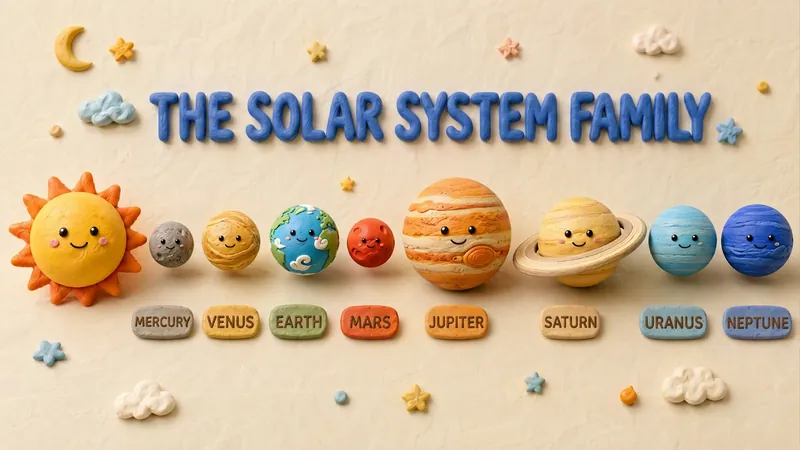 Slides
Claymation Style Slides
This Skill turns your creative scripts into highly artistic claymation-style Slides. It's more than just simple presentation creation - through 3D modeling-grade visual rendering, it shapes every idea into clay models that feel handcrafted and warm. Whether for science popularization, educational courseware, or creative presentations, it gives your content a playful, warm, and highly approachable visual style. You can choose your input method flexibly: just provide a topic and let the AI plan the content, or enter an outline or a full speech script, and the Skill will carefully plan everything. Before generating, it first creates a page-by-page outline that includes page layout, visual element descriptions, and the main color palette. You can review or adjust the narrative logic of each page to ensure the final output meets your expectations. Once you confirm the plan, the system generates high-quality 16:9 3D clay-style images page by page. These images have a realistic plasticine texture with delicate handcrafted details and soft studio lighting. All images are automatically assembled into a complete presentation, with each page featuring rounded 3D titles and clear visual labels, delivering a cinematic presentation experience.
 Slides
Dev New Brutalism Editorial
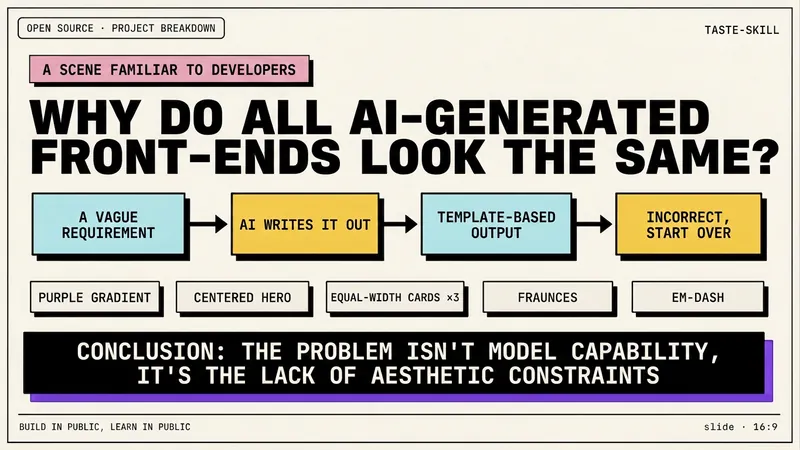
Turn your topic content, articles, knowledge points, project retrospectives, course copy, or tool introductions into a set of horizontal Slides with a 'Developer New Brutalism Editorial Style.' The overall style blends New Brutalism design, indie magazine layout, and developer terminal aesthetics: beige background, thick black borders, hard shadows, high-contrast color blocks, oversized titles, monospaced fonts, and web/terminal/card modular layouts, creating a strong sense of technical content expression. This skill first refines the content structure, then determines a core point for each page, automatically generating titles, explanatory sentences, knowledge point modules, conclusions, and appropriate visual components. It is especially suitable for AI tool introductions, Agent practice, open-source project breakdowns, course content organization, methodology summaries, product feature explanations, and technical retrospectives. The final output is a set of 16:9 horizontal Slides with a unified visual appearance, clear readability, ample white space, and distinct style, presenting an advanced expression effect that feels 'like an open-source project author sharing technical knowledge, yet like an indie design magazine telling a story.'
Hand-drawn Journal Infographic
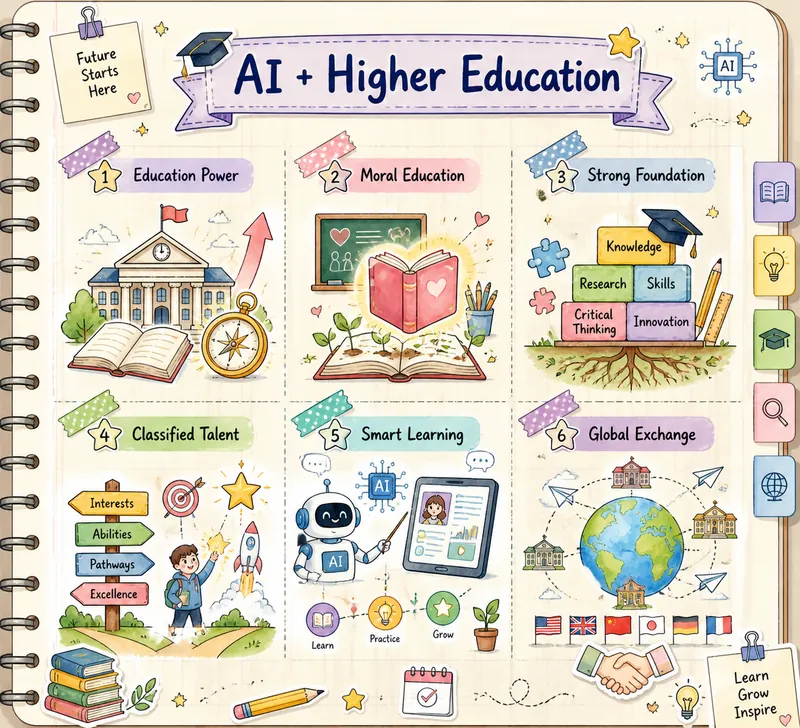
This skill transforms the text you provide into a beautiful hand-drawn journal-style multi-grid knowledge graph image. It is designed for users who need to visualize complex information and enhance learning or sharing efficiency, making your knowledge presentation both clear and artistic. By deeply understanding your text material, this skill intelligently extracts 3 to 6 core points and matches each with a highly relevant cute hand-drawn icon. Whether abstract concepts or concrete objects, they are intuitively displayed through vivid visual elements. The entire graph is presented in soft macaron colors and watercolor texture, paired with a cream-colored notebook background with grid lines, creating a warm and creative learning atmosphere. You only need to provide a topic or a piece of text, and this skill will automatically analyze the content, conceive visual imagery, and generate a unique knowledge graph. The final output image features a hand-drawn title at the top and a structured multi-grid layout in the middle, with each grid separated by rounded, dashed borders or tape stickers, ensuring clear and easy-to-understand information hierarchy.
Information
- Version
- v4
- Last updated
- Runtime credits
- Usage-based
- Models
- Auto
