LessonLens
Turn complex topics into visual lessons students understand
LessonLens
Turn complex topics into visual lessons students understand
Showcase
Description
LessonLens turns complex topics, documents, research, and lesson notes into clear, visually engaging educational presentations built for real learners. It does more than convert text into slides. LessonLens can research and verify important facts, adapt the material to the learner’s age and prior knowledge, identify learning goals and likely misconceptions, and choose the most effective way to explain the topic. Depending on the content, it may use direct explanation, step-by-step teaching, comparison, diagrams, timelines, light storytelling, or other learning structures. Storytelling is used only when it improves understanding. The visual system is built around the lesson itself. LessonLens evaluates which visual approaches actually fit the topic, creates a consistent presentation direction, and writes detailed professional image prompts for every required visual. These visuals can include carefully designed learner-facing labels, arrows, short explanations, headings, and annotations so the final slides remain understandable without depending only on teacher notes. The result can include: a researched and age-adapted teaching plan a structured slide-by-slide learning flow professional visual direction detailed image prompts slide-ready educational visuals PowerPoint presentation teacher or presenter notes optional PDF output summaries, quizzes, or supporting learning material when useful LessonLens is designed for teachers, tutors, course creators, and educational content creators who want more than attractive slides — they want presentations that help students actually understand the subject.
Related Skills
View all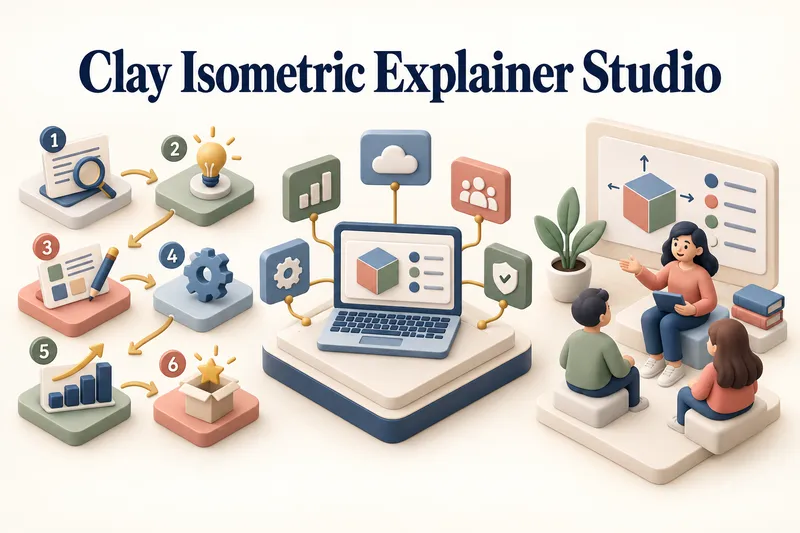 Image
ImageClay Isometric Explainer Studio
Turn any topic into a clear, memorable visual explanation. Clay Isometric Explainer Studio transforms products, processes, services, systems, and educational subjects into polished hybrid 3D clay and isometric visuals. You can start with only a topic. The Studio performs a focused research snapshot, identifies the core message, recommends the clearest visual direction, and guides you through the creative process step by step. It builds the information architecture, maps each idea to a visual object, defines a consistent style system, and prepares a complete production prompt. Titles, numbered stages, information cards, labels, and short explanations are planned and included directly during image generation. Choose an Explainer Scene, Process Flow, Product Feature Board, Educational Visual, or a coherent 3–5-piece Visual Series. After the still image is approved, optionally turn it into a short image-to-video animation with subtle object motion, natural clay character gestures, or guided focus through numbered stages. Ideal for presentations, websites, social posts, posters, PDF pages, product communication, onboarding, and learning materials. Not intended for decorative 3D scenes without an explanatory purpose, random visual elements, dense paragraphs inside images, or final editable design files.
 Slides
Presentation Architect PRO
Presentation Architect PRO turns any idea, document, business problem, research topic, or dataset into a complete, research-grounded presentation. It analyzes the objective, audience, and language; writes a short brief and states its assumptions; verifies material claims against trustworthy sources and cites them; selects the most suitable narrative framework (executive strategy, investor pitch, scientific research, sales, or educational); designs the deck slide by slide with an insight-driven headline, one key message, concise content, a recommended visual, design direction, speaker notes, and evidence; applies a premium visual system with an audience-appropriate theme; handles data visualization honestly; and self-audits across ten quality dimensions. The finished, editable deck is generated natively in YouMind. Supports operating modes such as /pitch, /executive, /research, /finance, /teach, /sales, /redesign, /document, /compare, and /keynote.
 Slides
Modern cool blue-green engineer-style briefing
Craft professional, data-driven presentation blueprints with a sophisticated engineer's aesthetic. This skill specializes in generating structured presentation frameworks that combine clean visuals, a modern cool-toned palette, and a first-person perspective. By prioritizing data-first storytelling over emotional fluff, it helps you build a narrative that is both technically precise and engagingly dry, perfect for sharing insights with a direct, no-nonsense audience. Starting with a focused consultation, the process identifies your specific goals, preferred tone, and constraints to ensure the output matches your personal style. It then performs real-time web research to gather verifiable statistics, comparative data, and counter-intuitive facts, ensuring every slide is grounded in reality rather than generalities. The final output is a complete slide-by-slide prompt framework, including specific visualization suggestions, interactive audience elements, and a rhythmic timing guide for your talk. Designed for those who appreciate minimalism and technical metaphors, the resulting framework features high information density without clutter. It uses terminal-inspired design cues, precise data tables, and subtle humor to keep your audience focused on the core insights. Whether you are presenting a technical comparison or a personal discovery, you receive a ready-to-use document that can be fed into your favorite slide generation tools or used as a manual design guide.
Information
- Version
- v8
- Last updated
- Runtime credits
- Usage-based
- Models
- Auto
