
No prompts found
TRY SEARCHING FOR SOMETHING ELSE
Try These AI Skills Instead
Discover featured tools that can help you generate amazing content.
Image Remix: Recreate & Personalize
Create personalized visuals from striking reference images—for advertising, fashion concepts, editorial portraits, product scenes, and visual exploration. Image Remix analyzes what makes your reference work, then helps you adapt it to your subject, style, or product. Keep the composition and atmosphere you love while changing selected details through five guided choices. YOUR FIVE CREATIVE CONTROLS • Character / Subject — Preserve the source appearance, describe changes, or supply a reference. • Wardrobe — Keep the outfit, describe a new look, or use a clothing reference. • Environment — Preserve the setting or move the scene somewhere new. • Skin Realism — Choose smooth but realistic skin, natural texture, subtle freckles, or your own description. • Jewelry — Preserve, redesign, replace, remove, or provide a reference. HOW IT WORKS Upload a source image and make your selections. Add person, wardrobe, or product references where needed. The skill gathers any essential missing details, prepares a complete English generation prompt, explains the intended result in your language, and generates one image. CONTROL THE CHANGES. KEEP THE VISUAL IMPACT. Pose, framing, perspective, and atmosphere stay consistent unless you choose to change them. Lighting, shadows, reflections, and materials adapt to help the new elements feel naturally integrated. References have separate roles: a clothing reference guides the outfit, while a product reference guides the product’s design. This helps prevent unrelated faces, backgrounds, or accessories from carrying over. WHAT YOU RECEIVE • One personalized generated image. • A complete, reusable English image prompt. • A clear explanation in your language. Add optional instructions for lighting, framing, aspect ratio, or text. Refine the result through targeted revisions while keeping your accepted choices. Reference-guided recreation; pixel-perfect duplication is not guaranteed.

Virtual Avatar Style Guide
One of the hardest parts of creating a virtual avatar is this: the first image looks great, but the second looks like a different person, making it impossible to build a series. The 【Virtual Avatar Style Guide】 is designed to solve that problem. It first defines four "repeatable identifying features" (a hairstyle anchor, facial anchor, clothing anchor, and prop anchor), then creates a **fixed consistency description block**—with eleven elements written in a set order (perceived age, face shape, eyes, eyebrows, nose and mouth, skin texture, hairstyle and hair color, clothing, props, color tone, lighting and art style). Copy it exactly each time and change only the sentence describing the scene and action, so five images placed together look like the same person. It also provides five first-image concepts to test consistency, a color palette (60/30/10), and avatar usage guidelines (keep the anchors unchanged; only change the clothing and scene). Strict rules: the avatar must be completely original; it must not resemble any existing cartoon, anime, game, or film character, or any real person; no face swapping; reference images may be used only to extract color palette and overall feel; no minors; no revealing or sexualized designs; and no plans intended to impersonate a real person. Suitable for people who want to build a virtual IP, avoid showing their face, or create a series-based illustration account.

【S.032】Yearwalker | Photo Skill · Starryear
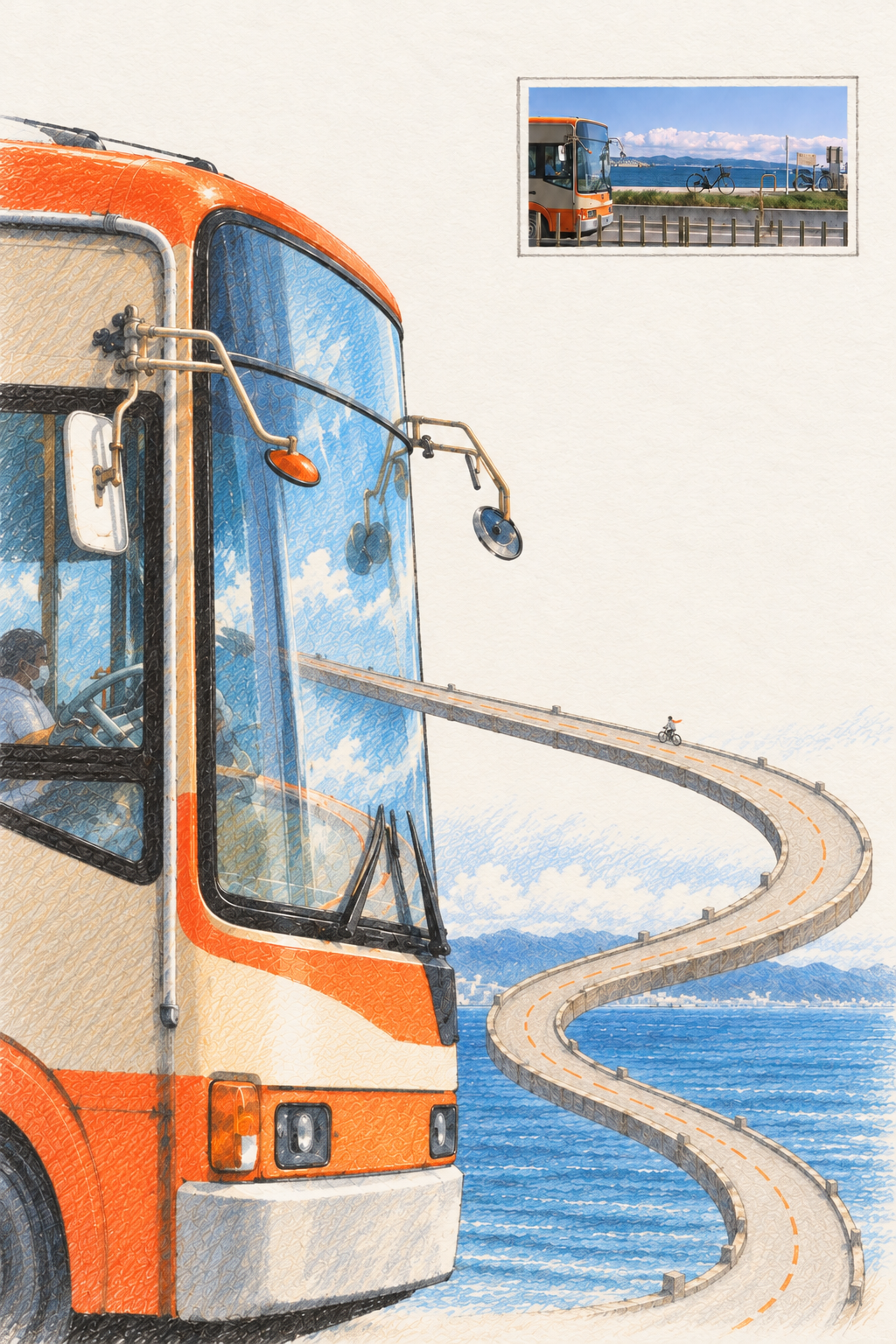
Transforms the main subject in a user-provided photo into an absurd giant scene with colored-pencil paper texture and hand-drawn linework. The work preserves the subject’s most recognizable outline, colors, pose, or spatial relationships, then extends the real photo into a quiet, clearly defined surreal event—presenting a familiar object at an exaggerated scale while maintaining visual coherence. A tiny human figure creates a strong contrast in scale, forming a simple narrative relationship between the giant subject and the person. A small version of the original photo, framed with a fine border, remains in the upper-right corner as visual evidence of the source. The original color palette is retained, with the image built through colored-pencil hatching, layered color, paper texture, and hand-drawn contours. No fixed giant type is imposed, and no unrelated decorative elements are added. The default output is a single 2:3 portrait-format work, retaining approximately 40% clean white paper space so the subject, miniature figure, and surreal event stand out more clearly. Ideal for creators who want to transform documentary photography, everyday objects, or natural landscapes into visual works with a sense of scale, imagination, and handcrafted texture.

S.031 Year-Vein · Starryear
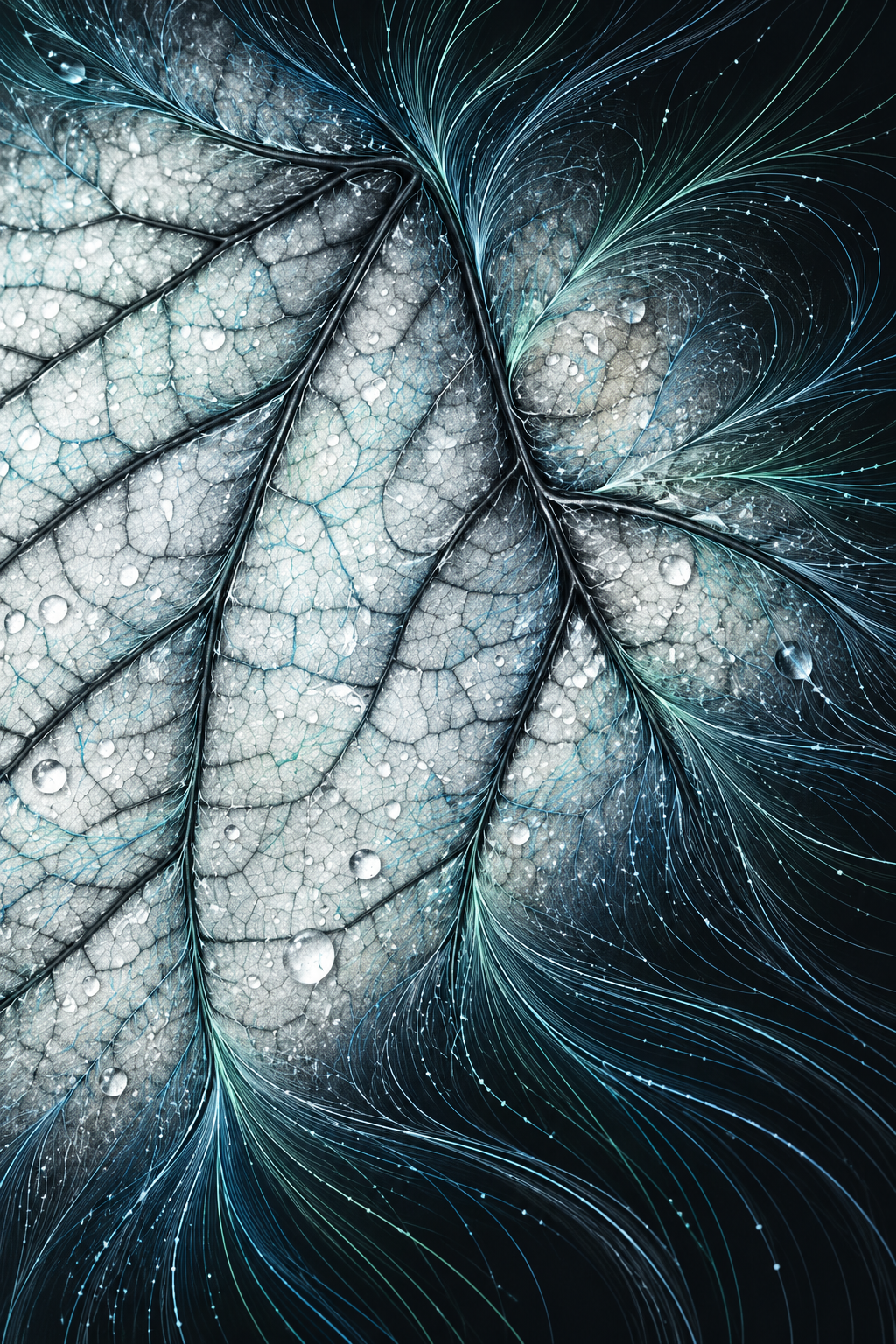
Reconstruct a photo into a distinctive 2:3 portrait artwork that naturally blends photographic details, the subject’s form, and continuous colorful line fields. The work is based on the original subject identity, composition, perspective, lighting, and color relationships, preserving key photographic details as recognition anchors while extending structured line fields from real textures such as radiating patterns, branches, folds, twigs, flowing water, architectural lines, or directions of movement found in the photo. Colorful lines grow along the original forms, spatial relationships, and lighting, creating gradient transitions within the subject, along its edges, and between the subject and background—not simply adding decorative lines or collaging abstract areas. The original image’s dark foundation, subject colors, lit colors, and environmental colors carry through the photographic anchors, reconstructed forms, and line fields, preserving the source image’s warm-cool relationships and spatial depth. This is suited to translating photos of nature, people, architecture, cities, or other subjects with directional textures into portrait artworks that combine photographic texture with a linear visual language. By default, no text, logos, watermarks, or promotional elements are added.

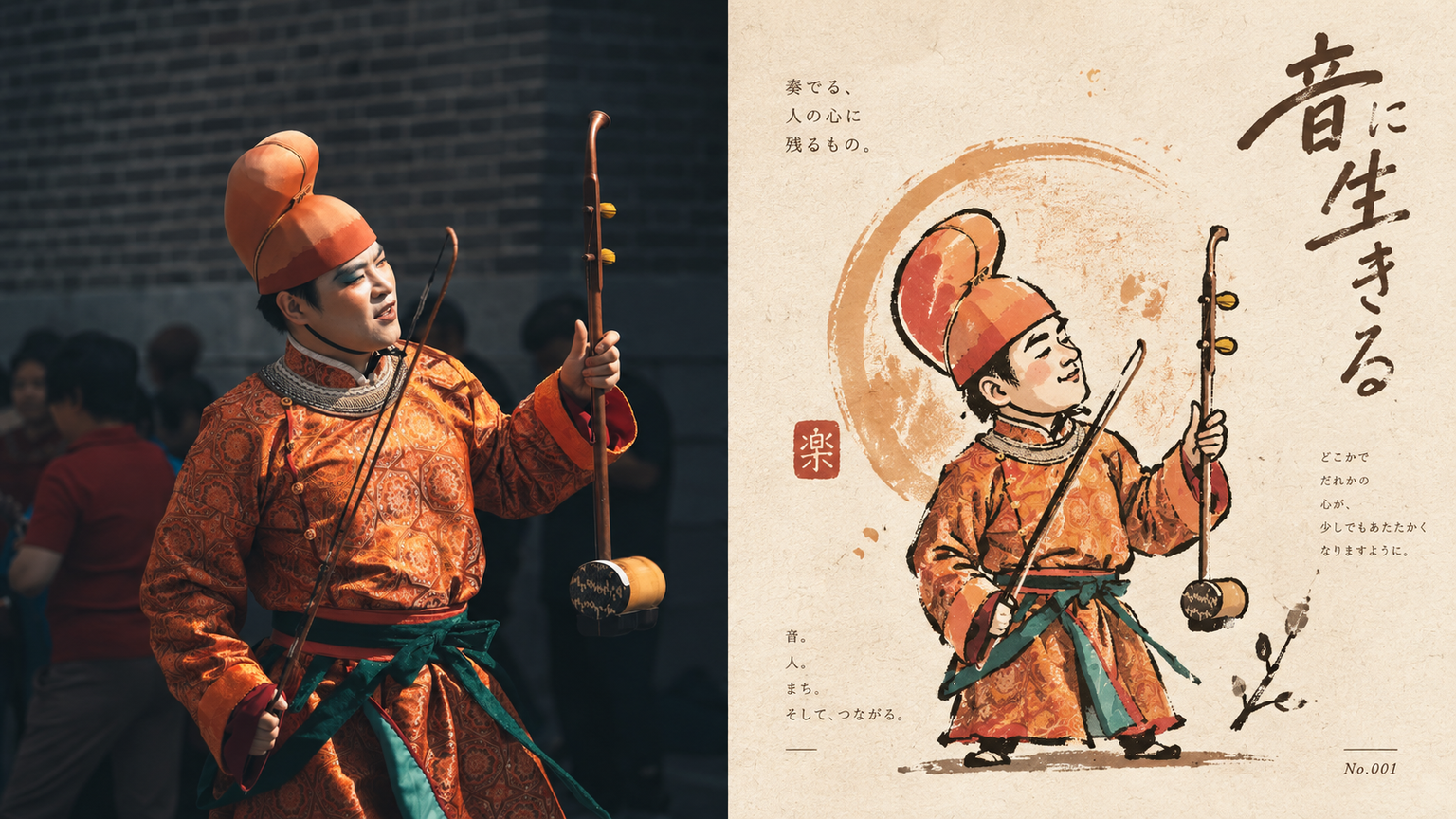
xiaoxiaodong P320 Silhouette
For turning an ordinary photo into a distinctive character captured by an artist—not a commercial mascot. The top half is the original image; the bottom half first establishes a silhouette, then layers broken, overflowing, and not-quite-closed gesture lines over it. Proportions may be rounded or slightly distorted. A circle, star, or sprig of a plant can support the identity, but must not become the background. Ink lines sit on paper, loose yet controlled, forming a small collectible icon. Use a warm, limited palette: warm yellow, ochre, soft orange, off-white, dark brown, and deep red, with a small amount of cool color for balance. Avoid smooth vector shapes, excessive retouching, cute IP, and complete scenes.

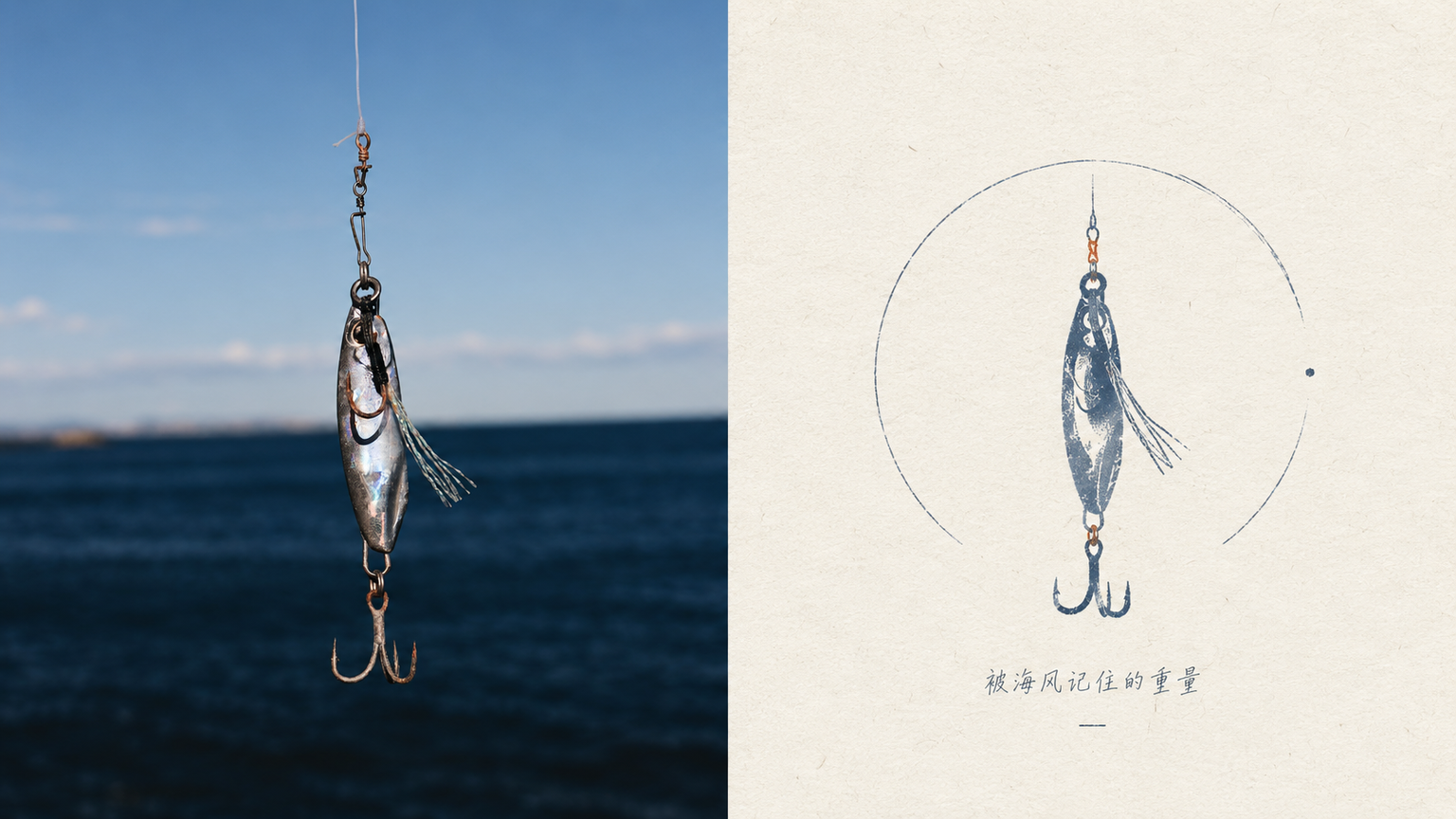
Poetic Mark | xiaoxiaodong P319
Ideal for turning an ordinary photo into a private poetic mark on white paper. The upper half shows the original image; the lower half keeps only a silhouette, a set of proportions, or a gesture. It can be pared back to near abstraction, with a quiet touch of surrealism. A very small label, number, or handwritten word may appear as a second layer of metaphor rather than an explanation. The materials are colored pencil, crayon, and paper grain. The palette uses warm white with one main color and one supporting color for a low-stimulation effect. Keep the symbol small and place it within a broad field of psychological space. Avoid complete scenes, piles of annotations, perfect geometry, and noisy colors.

Common Questions
Ready to create with
YouMind?
Turn these prompts into images with the models available in YouMind.
LET YOUR IMAGINATION SOAR